
Interface overview
Find the toolbar, dockable inspection panels, status bar, footer, playback controls, project actions, and viewport tools in Tridi 1.6.
Applies to Tridi 1.6.0 release. Release notes
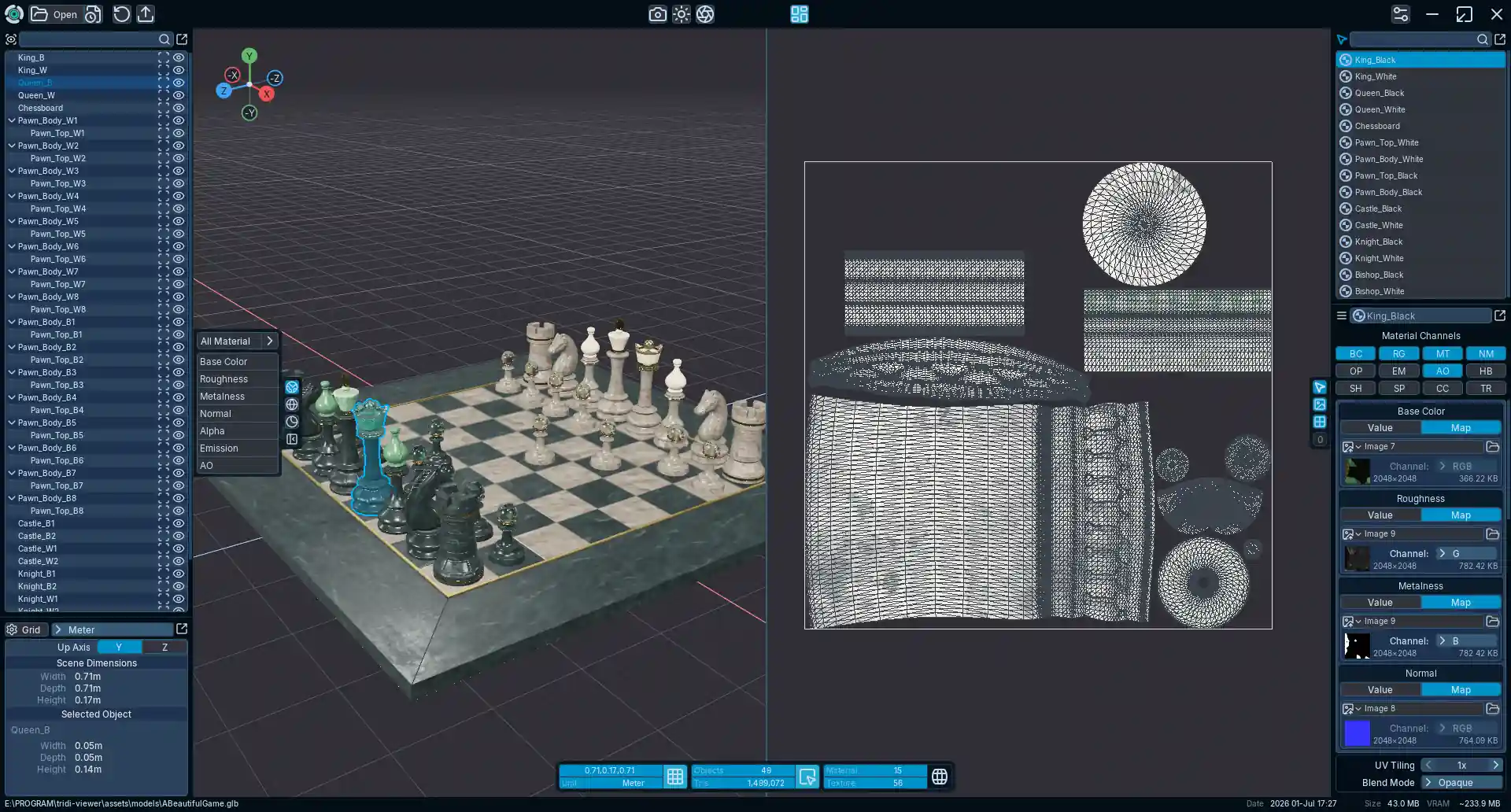
Main areas
- Toolbar
- Open a model or Tridi project, access Project Actions, render an image, adjust Environment Settings and Post Processing, export a model, use Material Map Baking, toggle UV View, or open Preferences. Project Actions include Reload, Revert, Save, Save As, Save Current as Startup, Reset Startup, and Exit where available.
- 3D workspace
- The default workspace is a full 3D canvas. Navigate, select, and inspect the one current model. UV View can share the workspace beside the 3D view for the current session.
- Dockable inspection panels
- Model Error, Dimensions, Objects, Materials, Material Properties, and Validation use the shared dock system. Panels can attach to the left or right side with independent widths or detach into floating windows.
- Render controls
- Switch between Default Display, Solid Wireframe, Matcap Display, and render-channel inspection. Press Z to toggle Solid Wireframe and C to cycle visible channels. The Opacity channel shows the effective opacity source, including supported packed-channel routing.
- Status bar
- When a model is loaded, the centered status bar provides model-inspection and Validation entry points without taking over the full window width.
- Footer
- A separate footer shows source-file information such as path, file date, size, and estimated VRAM usage. In the empty state, the footer also provides the Open File surface.
- Playback bar
- Appears above the lower status area when the active model contains a supported animation clip.
Workspace persistence
Normal panel arrangement remains session-oriented. Tridi Plus can use Save Current as Startup to capture a model-independent startup presentation, including the window size, supported viewer presentation, and stable workspace or toolbar panels. Reset Startup removes that saved startup snapshot.
The startup snapshot does not reopen a model or persist model-specific camera, selection, validation, or other session-only state.