
Inspect CAD edges
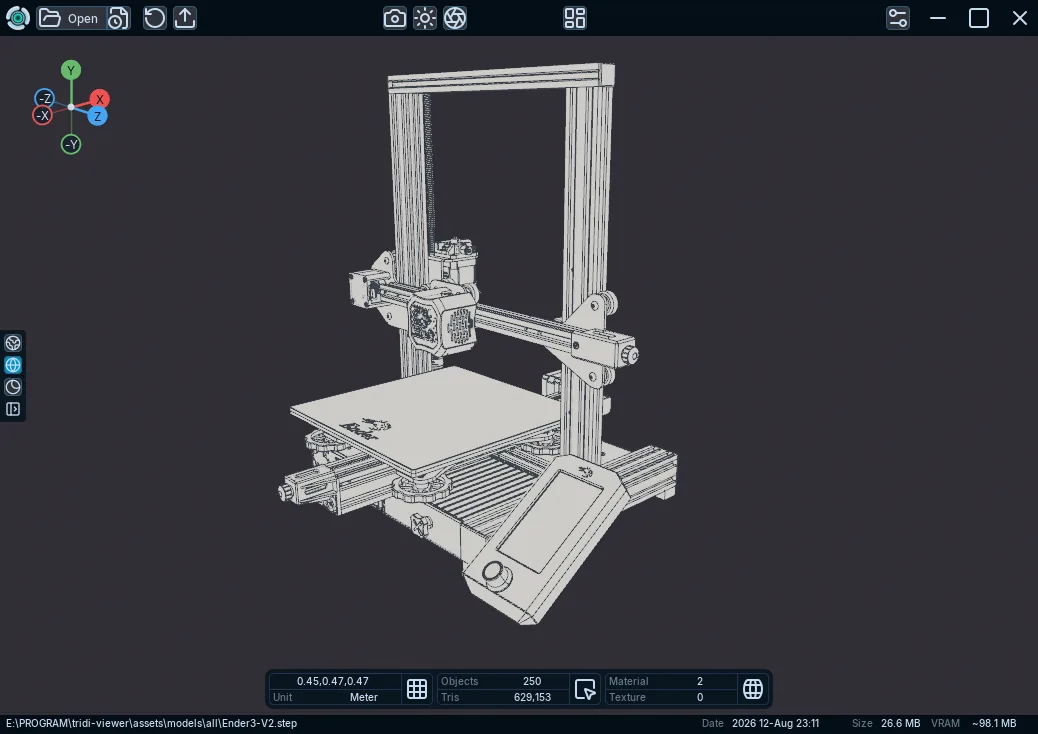
Display native STEP, IGES, or BREP curve topology with Tridi Solid Wireframe mode.
Applies to Tridi 1.6.0 release. Release notes
STEP, IGES, and BREP imports can retain native CAD curve topology for edge inspection.
Show CAD edges
- Open a supported CAD file.
- Select Solid Wireframe in the viewport render controls.
- If curves are missing, confirm Preferences > Import > CAD > Show CAD Curves and reopen the file.
What to expect
Surfaces are tessellated for rendering while native edges are used by Solid Wireframe. Tessellation Quality changes surface density for future imports.
Limitations
CAD support is for viewing tessellated geometry, hierarchy, transforms, colors, and edges. It is not a CAD editing or feature-history tool.